
So you typed “how to learn React JS” into Google and landed here. Good. You’re in the right place.
React is everywhere right now. It’s one of the most-used JavaScript libraries on the planet, and companies rely on it to build fast, slick websites and apps. This guide shows you how to learn React JS step by step, in plain language. No fluff, no jargon dumps. Just a clear path from “I know nothing” to “I can actually build something.”
By the time you finish reading, you’ll know exactly how to learn React JS without wasting weeks on the wrong stuff.
What Is React JS, and Why Bother Learning It?
React is a free, open-source JavaScript library. Meta (yes, the Facebook company) built it. Its whole job is to help you build user interfaces, especially the kind you find in single-page apps, where the page updates instantly instead of reloading every time you click something.
Here’s the part people love: React lets you build with “components.” Think of them as reusable Lego pieces. Build a button once and use it fifty times. No copy-pasting the same code over and over. Your codebase stays cleaner, and you save yourself hours of repetitive work.
Netflix uses it. So do Instagram, Airbnb, and Uber. When companies like that build their front-end with React, you can bet it opens doors for developers who know it well. Want a stable, in-demand skill for a web dev career? Figuring out how to learn React JS properly is a smart bet.
Ask Yourself These Questions First
Before you dive into tutorials, pause for a second. A few honest questions now will save you a lot of confusion later on your journey to learn how to learn React JS.
Do I already know basic JavaScript? React sits on top of JavaScript. You don’t need to be a pro, but you need the basics down first.
How much time can I realistically give this every day? Even an hour or two, done consistently, beats five hours once a week. Consistency wins.
Am I building websites, apps, or both? Your goal shapes your path a little. Mobile-focused? You’ll eventually want to look at React Native too.
Am I actually willing to build things, not just watch videos? Be honest here. Reading and watching feels productive, but it isn’t the same as writing code yourself.
Answer these honestly, and your whole journey through how to learn React JS gets a lot smoother.
What You Should Know Before You Start Learning React JS
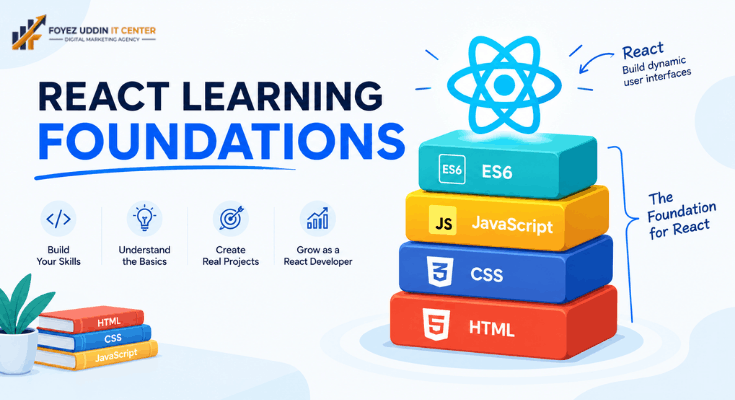
You don’t need to be an expert going in. But a few basics will save you a ton of headaches on your path to how to learn React JS:
- HTML basics: tags, structure, forms
- CSS basics: styling, flexbox, simple layouts
- JavaScript fundamentals: variables, functions, loops, arrays, objects
- ES6 features: arrow functions, let/const, template literals, destructuring
New to these? Spend a week or two here first. It feels slow, but trust me, it pays off fast once you get into how to learn React JS itself.
Your Step-by-Step Path: How to Learn React JS
Here’s the real meat of this guide, the actual answer to how to learn React JS. A simple, no-nonsense path that takes you from zero to genuinely comfortable with React.
Step 1: Nail Down Your JavaScript
Every experienced dev will tell you the same thing when asked how to learn React JS: JavaScript comes first. Get comfortable with functions, arrays, objects, and how the DOM actually works. Skip this step, and React will feel confusing for no good reason. Do this step properly, and everything else clicks faster.
Step 2: Get What React Is Actually Doing
Once your JavaScript feels solid, the next stage of how to learn React JS is understanding what React does under the hood. Look into the Virtual DOM and JSX (that HTML-looking syntax inside JavaScript) and why React feels so fast compared to plain JavaScript. This is the “why” behind the tool, and it makes everything after this click into place.
Step 3: Learn Components, Props, and State
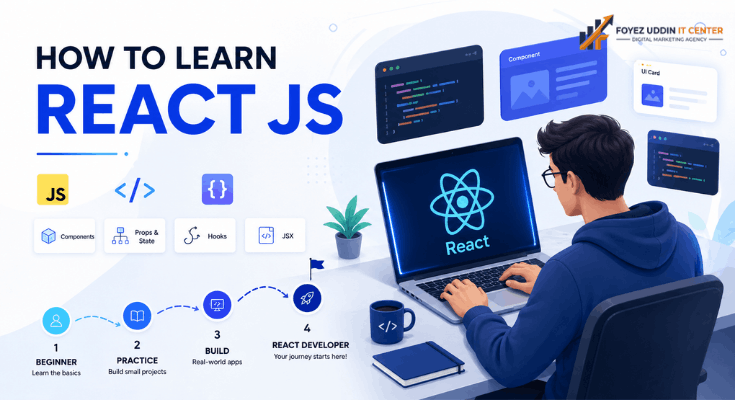
This is React’s beating heart, honestly, and anyone serious about how to learn React JS needs to slow down here. Components are your building blocks. Props pass data from one component down to another. A state handles data that changes like a counter, a form input, or a toggle switch. Master these three, and you’ve basically mastered React’s core logic. Everything else builds on top of them.
Step 4: Get Comfortable with Hooks
Modern React runs on hooks useState, useEffect, useContext, and a few others. Hooks let you manage state and other features without writing class-based components (the old, clunkier way). If you’re figuring out how to learn React JS the way it’s actually written today, hooks aren’t optional. They’re the standard.
Step 5: Build Small Projects. Actually Build Them
Reading about React won’t make you good at React. Building things will. Try:
- A to-do list app
- A simple calculator
- A weather app pulling from a real API
- A quick quiz app
- A movie search app
Each one teaches you something the last one didn’t. Your first project will probably look rough. That’s fine; that’s the point. If you take one thing away from this guide on how to learn React JS, let it be this: progress beats perfection every time.
Step 6: Learn React Router
Most real sites have more than one page. React Router lets you move between pages without a full browser reload, which keeps things fast and smooth. You’ll need this the moment you build anything beyond a single screen.
Step 7: Get Into State Management
As your app grows, keeping track of data across different components gets messy fast. That’s where tools like the Context API, Redux, or Zustand come in. Anyone at the advanced stage of how to learn React JS shouldn’t skip this; most companies expect you to know at least one of these when they’re hiring.
Step 8: Build One Full Project
Take everything you’ve learned and build one complete thing: a blog, a small store, or a portfolio site. This is where theory turns into proof, and honestly, it’s the step that proves you’ve actually figured out how to learn React JS instead of just reading about it. It’s also the project you’ll actually want to show off in interviews or on your resume.
Step 9: Learn to Read Your Own Errors
Every developer, even senior ones, deals with errors daily. Learning to actually read error messages and use your browser’s dev tools properly is a skill people skip when they’re figuring out how to learn React JS and then regret it. It saves you hours of guessing later.
Step 10: Keep Going, Don’t Stop Here
React keeps evolving. New features roll out regularly. The last, and honestly most important, step in how to learn React JS is simple: don’t stop practicing. Keep building. Follow the official React blog and stay current.
Free Resources for How to Learn React JS
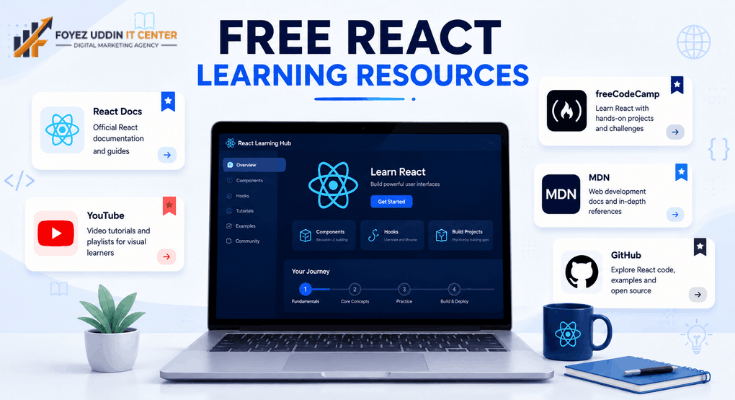
Don’t want to spend money? You don’t have to. Here’s where to look:
- Official React Documentation: It’s genuinely well-written, and it’s the source of truth.
- YouTube tutorials: tons of free, beginner-friendly series out there.
- freeCodeCamp: structured, free courses that walk you through React step by step.
- MDN Web Docs: perfect for brushing up on the JavaScript fundamentals.
- GitHub open-source projects: reading real code teaches you things tutorials never will.
Mix and match these. Read a bit, watch a bit, then go code. That combo works better than sticking to just one format when you’re trying to learn how to learn React JS efficiently.
Mistakes Beginners Keep Making
I see the same mistakes over and over from people trying to figure out how to learn React JS. Watch out for these:
- Skipping JavaScript basics. This makes React way harder than it needs to be.
- Watching without doing. Tutorials feel productive. They don’t build real skill on their own.
- Copy-pasting code you don’t understand. Slow down and actually get what each line is doing.
- Trying to learn everything at once. Go step by step. Rushing just burns you out.
- Never building real projects. This is, by far, the fastest way to actually learn.
Dodge these, and your whole learning curve for how to learn React JS gets noticeably easier.
How to Learn React JS: How Long Does It Actually Take?
Fair question, and one everyone asks. Here’s a realistic breakdown:
- Basic comfort with React: 3-4 weeks of daily practice
- Job-ready confidence: 3-4 months with consistent project work
- Real mastery: 6-12 months of hands-on experience
Your timeline depends on where your JavaScript skills already stand, how much time you put in daily, and how many projects you actually finish. There’s no shortcut for how to learn React JS, just steady, consistent effort.
Where This Skill Can Take You
Once you’ve figured out how to learn React.js and put in the practice, quite a few doors open up.
- Frontend Developer
- Full Stack Developer
- UI Developer
- React Native Mobile Developer
- Freelance Web Developer
Companies need React developers constantly. This isn’t a trendy skill that fades in a year; it’s stuck around, and it’s likely to stay relevant for a good while.
Staying Motivated While You Learn React JS
Honestly, staying motivated is often tougher than the coding itself. A few things that actually help while you’re figuring out how to learn React JS without burning out:
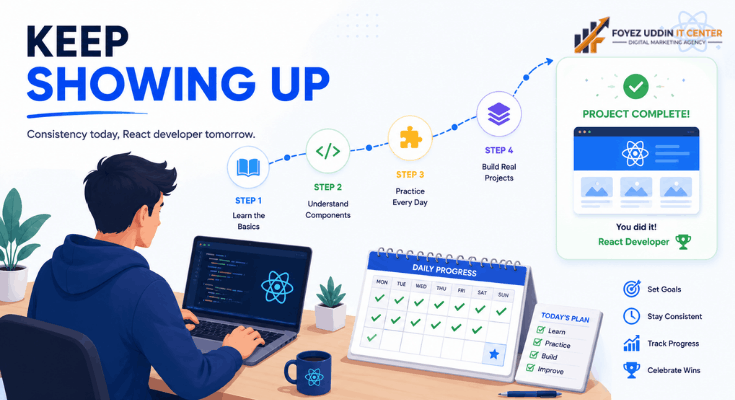
- Set small weekly goals instead of one huge, overwhelming target. Small wins keep you moving.
- Find a community. Discord servers, Reddit threads, and local meetups have people to ask questions to, making a real difference.
- Track what you’ve covered. A simple checklist or journal. Seeing progress on paper feels good, and it keeps you honest.
- Take actual breaks. Burnout is real. Stepping away sometimes helps your brain absorb what you just learned.
- Celebrate the small stuff. Built your first working component? That counts. Give yourself credit.
Every developer you admire started exactly where you are now. Some days will feel slow. That’s normal. Keep showing up, keep coding a little each day, and the results build on their own.
Wrapping Up
Learning something new is hard at first; there’s no way around that. But figuring out how to learn React JS doesn’t need a complicated plan. Start with JavaScript, move into components, props, and state, get comfortable with hooks, and then just… build things.
The real secret isn’t some hidden trick. It’s showing up consistently. Spend a little time each day, build small projects, mess things up, fix them, and keep going. That’s genuinely how confidence with React happens: not overnight, but steadily.
Follow the steps in this guide on how to learn React JS, and you won’t just understand React in theory. You’ll be able to build real, working apps the kind you can actually show off in a portfolio or talk through in a job interview.
Frequently Asked Questions
Is React JS good for beginners?
Yes, as long as you’ve got basic JavaScript down first. Plenty of beginners figure out how to learn React JS within a few weeks of steady practice.
Do I need to know JavaScript before learning React?
Pretty much, yes. A basic grip on JavaScript makes the whole process of how to learn React JS way less confusing.
What’s the fastest way to learn React?
Focus on components, props, state, and hooks early on. Build small projects daily instead of just watching videos. That combo is the fastest way to learn how to learn React JS I know of.
Can I learn React for free?
Definitely. The official docs, YouTube, and freeCodeCamp alone can get you most of the way there without spending a cent.
How long until I’m job-ready?
With daily practice, most people get there in about 3-4 months. It varies, but that’s a realistic average.
What should I build once I know the basics?
A to-do app, a weather app, or a simple portfolio site. Small, practical projects that force you to apply what you’ve learned.
Is React still worth learning in 2026?
Yes. It’s still one of the most in-demand skills in web development, and that’s exactly why so many people keep searching for how to learn React JS every single year.



One Comment on “How to Learn React JS: Complete Beginner’s Guide 2026”