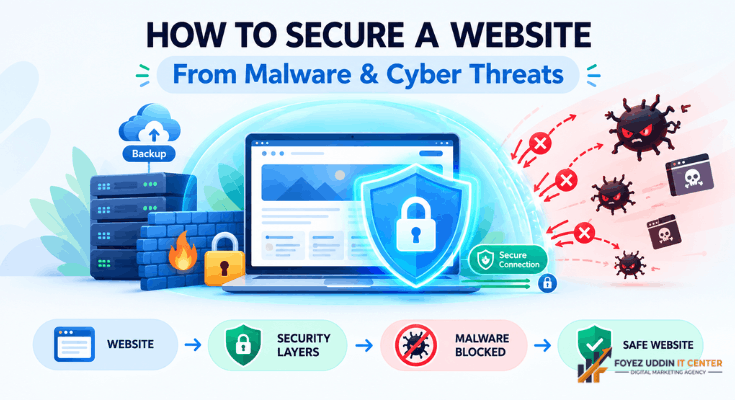
Building a website feels exciting. However, that excitement can turn into panic the moment malware strikes.
Many beginners assume hackers only target big companies. That assumption is wrong.
Small blogs and local business sites get attacked every single day. Therefore, learning how to secure a website early is not optional anymore.
This guide breaks everything down in plain English. No coding knowledge is required. You will walk away with a clear, actionable checklist for how to secure a website, step by step.
Why Website Security Matters More Than You Think
Malware can destroy months of hard work in seconds. It can steal customer data, crash your site, or bury it in search rankings.
For example, Google blacklists thousands of infected sites weekly. Once blacklisted, visitors see scary warning messages. Most of them leave immediately and never return.
Small business owners often lose customer trust permanently after an attack. Bloggers can lose years of content and traffic overnight.
Key takeaway: Prevention is always cheaper than recovery. This is exactly why learning how to secure a website should be a priority from day one.
Common Ways Malware Infects Websites
Understanding the entry points helps you close them. Here are the most common causes:
- Outdated software: old plugins, themes, or CMS versions
- Weak passwords: easy-to-guess admin credentials
- Unsecured hosting: cheap hosts with poor security infrastructure
- Malicious file uploads: forms that allow unchecked file uploads
- Phishing attacks: tricking site owners into revealing login details
- Nulled themes or plugins: free “cracked” versions loaded with hidden malware
Each of these represents an open door. Hackers only need one door to walk through.
Recognizing these entry points is the first real step toward how to secure a website properly.
How to Secure a Website From Malware: Step-by-Step
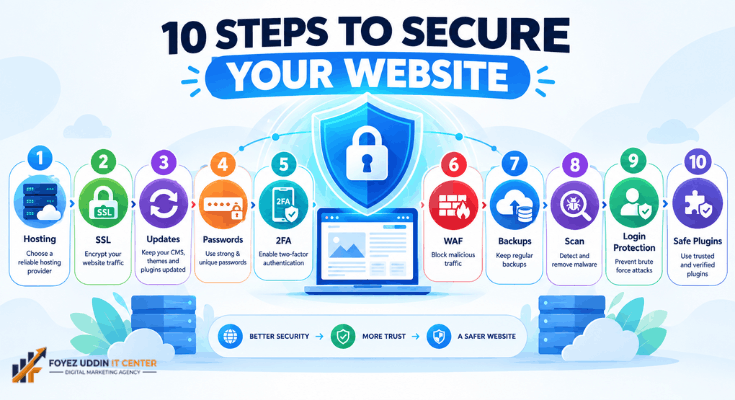
Below is a practical roadmap. Follow these steps in order for the best protection.
1. Choose a Secure Hosting Provider (The First Step to Secure a Website)
Your hosting company is your first line of defense. A good host actively monitors for threats.
Look for hosts offering automatic malware scanning, firewalls, and daily backups. Reputable providers include managed WordPress hosts with built-in security layers.
Cheap, unmanaged hosting often skips these protections entirely. That small savings can cost you far more later. In short, hosting choice is where how to secure a website truly begins.
2. Install an SSL Certificate
SSL encrypts data between your visitor’s browser and your server. Without it, information travels in plain text.
Most hosting providers now offer free SSL certificates. Therefore, there is no excuse to skip this step.
Look for the padlock icon in your browser bar. That padlock builds instant visitor trust.
SSL is a small step, but it plays a big role in how to secure a website from data theft.
3. Keep Everything Updated
Outdated software is the number one malware entry point. Developers release updates specifically to patch security holes.
- Update your CMS platform (like WordPress) immediately when prompted
- Update all plugins and themes regularly
- Remove any plugins you no longer use
An unused plugin is still a security risk. Delete it rather than deactivate it.
Staying current with updates is one of the simplest answers to how to secure a website long-term.
4. Use Strong, Unique Passwords
Weak passwords remain one of the easiest ways hackers gain access. “Admin123” is not a password; it’s an invitation.
Use a password manager to generate complex, unique passwords. Combine uppercase letters, numbers, and symbols.
Additionally, never reuse the same password across multiple accounts. Strong passwords alone solve a huge part of how to secure a website against brute force attacks.
5. Enable Two-Factor Authentication (2FA)
2FA adds a second verification step beyond your password. Even if a hacker steals your password, they still cannot log in.
Most website platforms offer free 2FA plugins or built-in settings. This single step blocks the majority of automated attacks. It is a small effort with a huge payoff for how to secure a website against unauthorized access.
6. Install a Website Firewall (WAF)
A web application firewall filters traffic before it reaches your site. It blocks known malicious IP addresses and suspicious requests automatically.
Many beginner-friendly security plugins include a WAF for free. This is one of the highest-impact steps on this entire list. If you only remember one technical fix for how to secure a website, make it this one.
7. Schedule Regular Backups
Backups will not prevent an attack. However, they will save your site if one succeeds.
- Schedule automatic daily backups
- Store backups in a separate location, not just your hosting server
- Test your backup restoration process occasionally
Without a backup, recovering from malware can take days or weeks. Backups are your safety net when every other part of how to secure a website fails.
8. Use a Malware Scanning Plugin
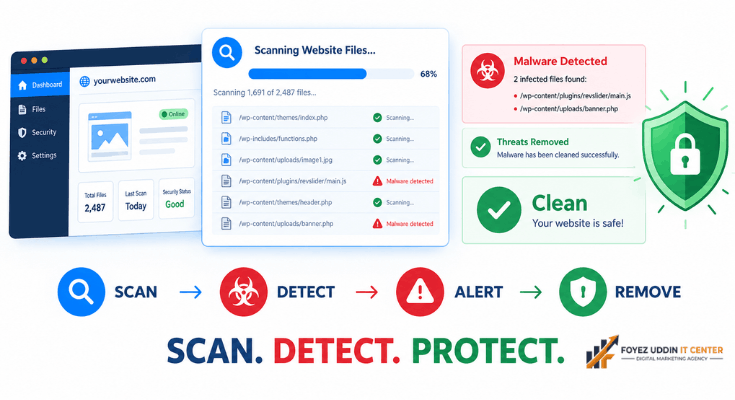
Security plugins actively scan your files for suspicious code. They alert you the moment something looks wrong.
Popular beginner-friendly options run scans automatically in the background. Consequently, you catch threats before they spread.
9. Limit Login Attempts
Hackers often use “brute force” attacks, guessing passwords repeatedly. Limiting login attempts stops this cold.
After a set number of failed attempts, the system locks out that IP address. This simple setting blocks thousands of automated bots.
10. Avoid Nulled or Pirated Themes
Free “cracked” premium themes seem tempting. However, they frequently contain hidden malicious code.
Always download themes and plugins from official marketplaces. The small cost is far cheaper than a malware cleanup, and it keeps how to secure a website simple and predictable.
Signs Your Website May Already Be Infected
Sometimes malware hides quietly for weeks. Watch for these warning signs:
- Unexpected pop-ups or redirects
- A sudden drop in search traffic
- Google flags your site with a security warning
- Unfamiliar admin users appear in your dashboard
- Your hosting provider suspends your account
If you notice any of these, act immediately. Waiting only allows the infection to spread further.
Spotting these signs early is a critical part of how to secure a website over the long run.
What to Do If Your Site Gets Infected
First, stay calm. Panic leads to mistakes.
- Take your site offline temporarily to prevent further spread.
- Restore from your most recent clean backup.
- Change every single password immediately.
- Scan all files using a security plugin or your host’s malware removal tool.
- Request a Google review once your site is clean.
Many hosting providers also offer professional malware removal services. This option is worth considering for non-technical users.
Even recovery is easier once you already understand how to secure a website properly.
Building Long-Term Security Habits
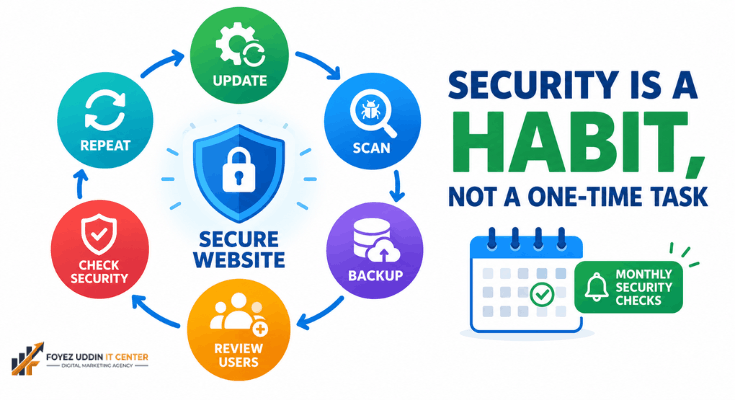
Security is not a one-time task. It is an ongoing habit, similar to locking your front door every day.
Set a recurring monthly reminder to check for updates. Review your user accounts periodically and remove unused ones.
Therefore, treat website security as routine maintenance, not an emergency response. Ultimately, how to secure a website comes down to consistent, repeated habits rather than a single fix.
Final Thoughts
Learning how to secure a website doesn’t require technical expertise. It requires consistency, awareness, and the right tools. Anyone can master how to secure a website, regardless of technical background.
Start with the fundamentals: secure hosting, SSL, strong passwords, and regular updates. From there, build additional layers like firewalls and backups.
However, remember that no site is 100% immune. Preparation, not perfection, is the real goal.
By following the steps in this guide, you have already taken a major step toward protecting your website, your visitors, and your reputation.
Frequently Asked Questions
Do I need coding skills to know how to secure a website?
No. Most modern security tools are plugin-based and require zero coding knowledge.
How much does website security cost?
Basic protection is often free through your hosting provider and free plugins. Advanced firewalls or premium scanning tools typically cost $5 to $30 per month.
Can malware affect my SEO rankings?
Yes. Google actively penalizes and blacklists infected websites, causing severe traffic loss.
How often should I back up my website?
Daily automatic backups are recommended, especially for active blogs or e-commerce sites.
Is free hosting safe from malware?
Generally, no. Free hosting often lacks proper firewalls, monitoring, and support, making it a high-risk choice.
What is the fastest way to know how to secure a website effectively?
Start with hosting, SSL, updates, and a firewall. These four steps cover roughly 80% of common vulnerabilities.