
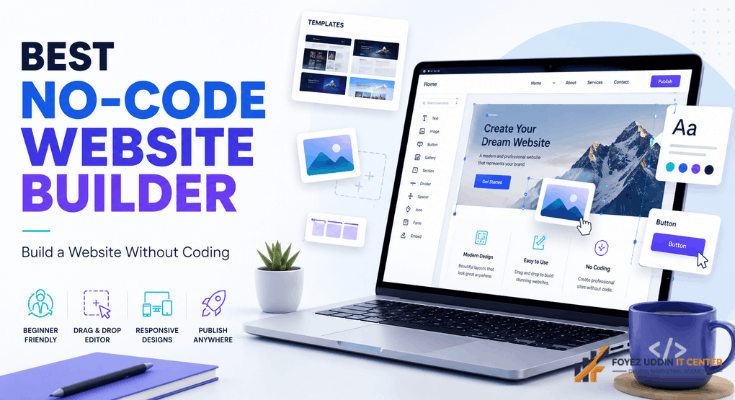
Remember when building a website meant hiring a developer or spending months learning to code? Those days are gone. Now anyone can build a working site in an afternoon with the best no-code website builder. Run a small shop, write a blog, or manage a growing business; it doesn’t matter. You get the power to create a site without touching a single line of code.
This guide walks you through what a no-code website builder actually is, why it matters right now, and how to pick the right one for your needs. We’ll answer the questions people ask most and share some real tips you can use even if you’ve never built a website in your life.
What Is a No-Code Website Builder?
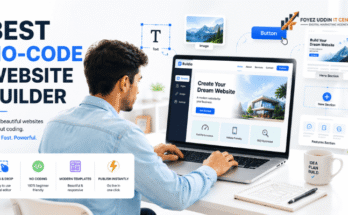
Simple version: it’s a tool that lets you build a site by dragging and dropping blocks instead of writing code. Pick a design, drop in your text and photos, and hit publish. Done. That’s exactly why so many people go straight to searching for the best no-code website builder instead of calling a developer.
A good platform comes packed with ready-made templates, an editor that actually makes sense, and hosting baked right in. You don’t need any technical background to get online. Just pick, click, and build.
Why You Need the Best No-Code Website Builder in 2026
The internet isn’t slowing down, and every business needs a home online. That’s exactly why the best no-code website builder has taken off. It saves time. It saves money. And it hands full control back to you, the site owner.
With the best no-code website builder, you’re not stuck waiting weeks for a developer to get back to you. You can have a live site by tomorrow. You skip the expensive coding fees too. Small business owners, freelancers, and students are all turning to these tools for their personal and professional projects.
Key Features to Look for in the Best No-Code Website Builder
Not all tools are built the same. Here’s what actually separates the best no-code website builder from the mediocre ones:
- Drag-and-drop editor: You should be able to move things around freely; no fighting with the layout.
- Mobile-friendly design: Your site needs to look sharp on phones, not just desktops.
- Built-in hosting: Skip the hassle of shopping for a separate hosting plan.
- SEO tools: A solid platform helps you show up in search results without extra plugins.
- Templates: Good templates save you hours and still look professional.
- E-commerce support: Planning to sell anything? Check this before you commit.
- Customer support: When something breaks at 11pm, you’ll want real help, fast.
Run any tool through this checklist, and finding the best no-code website builder for your situation gets a lot easier. Skip a feature on this list, and you might end up regretting your pick of the best no-code website builder later.
Top Benefits of Using the Best No-Code Website Builder
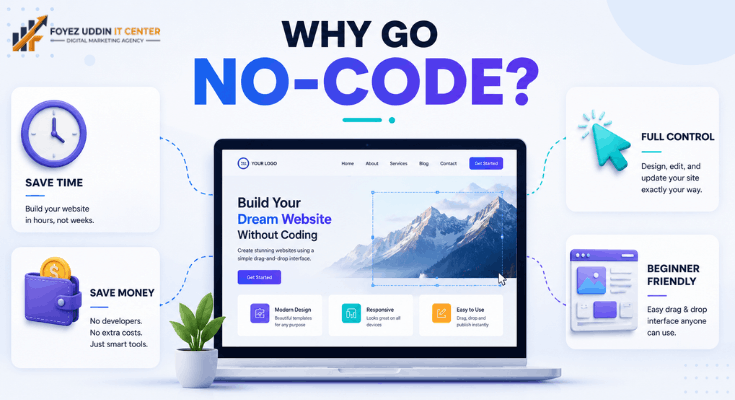
Why do so many people ditch traditional coding for this? Let’s break it down.
It saves time, a lot of it. You don’t need weeks or months to launch. The best no-code website builder gets you live in hours.
It saves money too. Developers and design agencies aren’t cheap. With the right tool, you’re paying a small monthly fee instead of a big invoice.
You also keep full control. Want to change something at midnight? Go ahead, no developer required.
And it’s genuinely easy for beginners. Never built a site before? This kind of builder walks you through it step by step, with clear instructions the whole way.
How to Choose the Best No-Code Website Builder for Your Business
Your choice depends entirely on what you’re trying to build. Here’s a simple way to narrow down the best no-code website builder for your situation.
Start by writing down what you actually need. Blog? Online store? Portfolio? That list shapes which features matter most.
Next, look at pricing. Some tools offer solid free plans; others charge monthly. Pick something that fits your budget without cutting corners on features.
Then check the design library. A strong builder gives you enough templates that your site won’t look like a copy of ten thousand others.
Finally, read what actual users say. Reviews catch the small stuff, the things that help you land on the best no-code website builder with real confidence.
Important Questions to Ask Before Picking the Best No-Code Website Builder
Before you commit, run through these questions first:
- Does it offer a free trial? Test-driving a tool before paying tells you a lot about whether it’s the best no-code website builder for your style.
- Is the pricing actually transparent? Some builders bury extra charges. Read the fine print.
- Can I connect my own domain? A real business needs a real domain, not a free subdomain tacked on.
- Does it support SEO features? This matters more than people think: meta titles, descriptions, alt text, all of it.
- Is support actually available? Fast help matters, especially if you’re new to this.
- Will it grow with me? Pick something that lets you add pages, products, or features down the line.
Work through these and you’ll land on the best no-code website builder for exactly what you need.
Common Mistakes to Avoid When Selecting the Best No-Code Website Builder
People trip up on the same few things every time. Here’s how to skip them and land on the best no-code website builder without regret.
Ignoring mobile design is a big one. Most of your visitors will show up on a phone. If your site looks broken there, you’ve already lost them.
Chasing the cheapest option is another trap. Price matters, sure, but features and support matter more in the long run.
And skipping the SEO check is a mistake plenty of people make. Without solid SEO tools, your new site might sit invisible on search engines no matter how nice it looks.
Best No-Code Website Builder vs Traditional Website Development
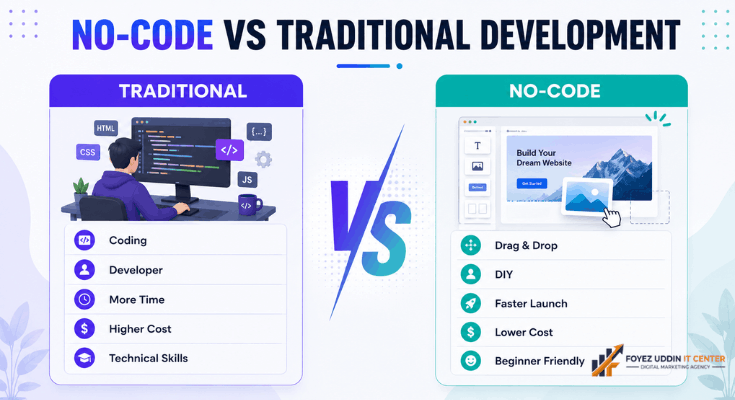
Traditional development takes coding skills, real time, and a real budget. The best no-code website builder flips that. Anyone can build a working site fast, no technical background needed.
Sure, traditional coding still wins for massive, highly custom projects at big companies. But for small businesses, bloggers, and startups? This kind of tool is the smarter, faster call. It cuts out the need for a technical team entirely and puts you in the driver’s seat.
The Future of Drag-and-Drop Website Building
These platforms keep getting sharper every year. AI now suggests layouts, drafts sample text, and even picks color palettes based on your industry. Beginners can end up with something that looks genuinely professional in less time than ever.
More businesses are moving online every day, so demand for fast, affordable website tools isn’t going anywhere. Cloud hosting, mobile-first design, and built-in security these are becoming the default, not the exception. Expect tighter ties to marketing tools, analytics dashboards, and automation in the years ahead, giving small business owners more firepower without needing a technical team behind them.
Types of Websites You Can Build With a No-Code Tool
Here’s the thing people don’t realize: these tools aren’t limited to one type of site. You can build almost anything without writing code.
Portfolio sites: Photographers, designers, and writers use these tools to show off their work. A clean template with a solid gallery does most of the heavy lifting.
Business sites: Local shops and startups use them to share contact info, services, and their story with new customers.
Online stores: Plenty of drag-and-drop platforms now handle shopping carts, payments, and product pages, so you can sell directly from your site.
Blogs: Writers and hobbyists publish articles and grow an audience without needing a technical team behind them.
Landing pages: Marketers build single-page sites fast to promote something, collect emails, or run a quick campaign.
Personal sites: Job seekers and freelancers build an online resume or personal brand page in an afternoon.
Whatever type of site you’re after, a solid drag-and-drop platform gives you the freedom to build it your way, no developer required.
Tips to Get Better Results From Your New Website
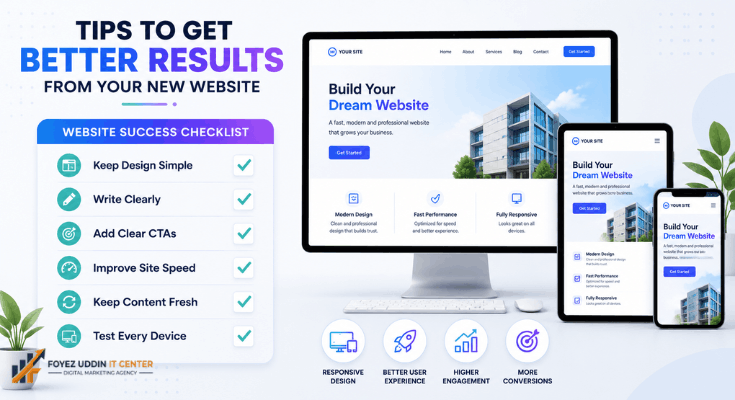
Launching your site is just step one. Here’s how to actually make it work once it’s live.
Keep the design simple. Too many colors, fonts, or animations just confuse people. A clean layout with clear text beats a busy one every time.
Write clearly. Short sentences, plain words. Nobody wants to read a wall of text on their phone.
Add clear calls to action. Tell visitors exactly what to do next: call you, buy something, or fill out a form. A clear button moves the needle.
Watch your site speed. A slow page loses visitors fast. Compress your images and cut anything you don’t need.
Keep content fresh. Search engines and visitors both like sites that update regularly instead of sitting stale.
Test on every device. Check your site on a phone, a tablet, and a laptop before you send that link to anyone.
Small habits like these add up fast, both for your visitors and for how you rank on search engines.
Conclusion
Picking the right tool for your website really doesn’t have to be complicated. Now that you know the features, the benefits, and the right questions to ask, you’re set up to confidently pick the best no-code website builder for your goals. Blog, online store, business page, whatever you’re building, the best no-code website builder saves you time, saves you money, and hands you the freedom to build it yourself. Take your time, weigh your options, and go with the best no-code website builder that actually fits what you need.
Frequently Asked Questions
- What is the best no-code website builder for beginners?
The best no-code website builder for beginners keeps things simple: a drag-and-drop editor, solid templates, and clear guidance every step of the way.
- Is the best no-code website builder good for online stores?
Yes. Plenty of top tools now come with e-commerce features built in, so the best no-code website builder works just as well for a shop as it does for a blog.
- Do I need coding knowledge to use a no-code website builder?
Nope, that’s the whole point. This kind of builder is made for people with zero coding experience.
- How much does the best no-code website builder cost?
Prices vary by provider. Many offer a free plan, with paid tiers adding more features and storage as you grow.
- Can I use my own domain name with a no-code website builder?
Yes, most platforms let you connect a custom domain, which instantly makes your site look more legit.
- Is the best no-code website builder good for SEO?
Yes. The good ones ship with built-in SEO tools: meta titles, descriptions, and alt text settings to help your site actually rank.


One Comment on “Best No-Code Website Builder: A Complete Guide for 2026”