
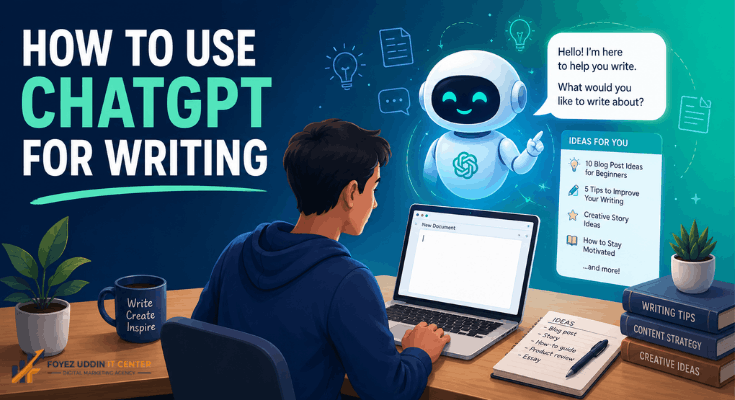
If you want to know how to use ChatGPT for writing, you’re in the right place. Staring at a blank page is the worst: cursor blinking, brain empty, deadline creeping closer. That’s exactly where ChatGPT comes in handy. In this guide, I’ll walk you through it step by step, in plain and simple language.
Whether you’re a student, a blogger, a small business owner, or someone who just writes for fun, this skill can genuinely save you hours. And by the time you finish reading, you’ll know exactly how to use ChatGPT for writing across all kinds of content, plus I’ll answer the questions people ask most.
What Is ChatGPT, and Why Should You Bother Using It for Writing?
ChatGPT is an AI tool built by OpenAI. It reads what you type, understands the intent behind it, and generates text in response. Simple as that. A lot of people search for how to use ChatGPT for writing because, honestly, it just makes the whole process faster and way less painful.
So before we get into the how, let’s talk about the why. Here’s what makes people stick with this tool:
- It cuts down research and drafting time
- It’s a lifesaver for anyone who struggles with grammar
- It throws out fresh ideas the second you feel stuck
- It handles blogs, emails, essays, stories, pretty much anything
- It’s there at 2 a.m. when your brain clearly isn’t
Once you get the hang of it, you’ll realize something important: this isn’t about outsourcing your creativity. It’s about giving it a boost.
Getting Started: How to Use ChatGPT for Writing the Right Way
New to this? Good news: the first step is dead simple. Head to the ChatGPT website or app, sign up for a free account, and you’re basically ready to go. Once you’re logged in, you’ll see a chat box waiting for your request.
Here’s the quickest way to start learning how to use ChatGPT for writing:
- Open ChatGPT on your browser or app
- Type out your topic clearly
- Tell it what style or tone you want
- Read through what it gives you
- Rewrite it in your own words
That’s really the whole foundation. Whether you’re knocking out a school assignment or drafting a business report, this basic loop works every time.
How to Use ChatGPT for Writing Blog Posts
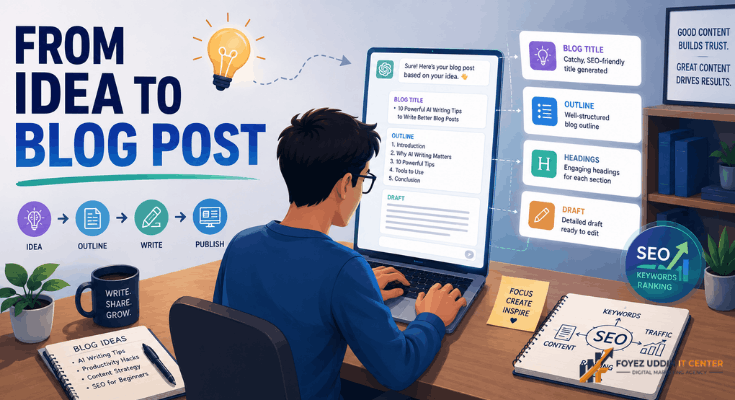
This one comes up constantly. People want to know how to use ChatGPT for writing blog content specifically, and honestly, bloggers everywhere are already leaning on it for outlines, headlines, and full drafts.
Here’s how to actually do it:
- Give ChatGPT your topic and your focus keyword
- Ask for a title that grabs attention but still makes sense
- Request an outline with headings and subheadings
- Have it write each section in plain, easy English
- Then go back in and add your own stories and examples
Do it this way, and your content won’t sound stiff or robotic; it’ll actually feel like you wrote it. Just don’t skip the fact-checking. And always, always add your own voice at the end.
How to Use ChatGPT for Writing Emails and Messages
Ever sat there for ten minutes trying to figure out how to word a work email? Yeah, we’ve all been there. This is one of the most underrated uses of ChatGPT.
Want better emails, fast? Just tell ChatGPT:
- Who you’re writing to (your boss, a client, a friend)
- What you actually need (a request, a complaint, a thank-you note)
- What tone fits (formal, casual, short and sweet)
This is the practical, everyday side of things, not some big blogging project, just a small task that used to eat up your time.
How to Use ChatGPT for Writing Essays and Assignments
Students ask about this one a lot too. And look, it’s important to be upfront here: Use ChatGPT as a helper, not a shortcut to cheat. Teachers can usually spot copied work from a mile away.
Here’s a smarter, more honest approach:
- Ask ChatGPT to sketch out an essay structure
- Have it pull out the key points on your topic
- Write the actual essay yourself, in your own words
- Bring it back to ChatGPT just for a grammar and flow check
Do it this way and you’re still doing the real work. You’re just finishing faster, and honestly, probably writing better too.
How to Use ChatGPT for Writing Stories and Creative Content
Writers get stuck too. Creative block is real, and ChatGPT can actually help with brainstorming characters, building out plot ideas, and even drafting dialogue when the words just won’t come.
Try prompts like:
- “Give me three plot ideas for a mystery story.”
- “Create a character with a unique background.”
- “Write a short conversation between two friends.”
So no, this tool isn’t just for business copy and blog posts. It’s got a creative side too.
Tips That Actually Make a Difference
Now that you’ve got the basics down, let’s get into what separates decent results from great ones.
- Be specific with your prompts. Vague in, vague out. The more detail you give ChatGPT, the better the output. It’s that simple.
- Edit everything. No exceptions. Never just copy and paste. Editing is where the real work happens; it’s what turns a generic draft into something honest and yours.
- Put your own voice back in. ChatGPT gives you a starting point, not a finished product. Add your humor, your opinions, and your tone. Otherwise it’ll sound like everyone else’s content.
- Fact-check every single time. AI messes up sometimes: names, numbers, dates, all of it. Double-check before you hit publish. Your credibility depends on it.
- Use it for brainstorming too, not just drafting. Honestly, some of the biggest value here isn’t even the final text; it’s the ideas you get along the way.
Mistakes People Make (So You Don’t Have To)
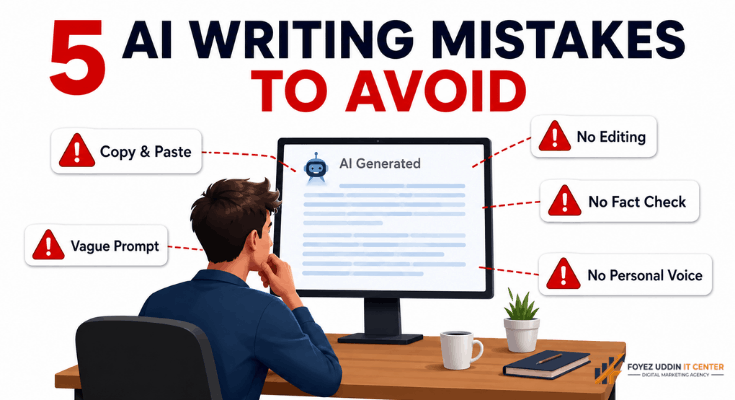
Beginners trip up in pretty predictable ways. Here’s what to watch for:
Copying content straight through without editing a word
Giving prompts that are way too vague
Skipping grammar and tone checks
Publishing AI content without verifying the facts
Forgetting to add anything personal at all
Dodge these mistakes, and you’re already ahead of most people using this tool.
Using ChatGPT for Product Descriptions and Business Content
Business owners get a ton of value here too; think product descriptions, ad copy, and social captions. Writing the same kind of content over and over gets old fast, and that’s exactly where AI earns its keep.
Running a shop or an online store? Try this:
- Describe your product in a few quick words (color, size, material, what it’s for)
- Ask for a short, catchy description
- Get one version for Instagram and another for your website
- Add a call-to-action line at the end
This works for way more than blogs and essays. It fits right into everyday marketing and branding work too.
A Real Walkthrough: How to Use ChatGPT for Writing, Start to Finish
Sometimes it just clicks better with an actual example. So here’s a full walkthrough, beginning to end.
- Start with your goal; say, “I want to write a blog about healthy morning habits.”
- Ask for an outline with five headings.
- Pick the headings that work and have ChatGPT expand each one.
- Read through the draft. Cut anything repetitive or that feels off.
- Rewrite a few lines yourself so it sounds like you.
- Write a strong intro and a solid closing.
- Proofread before you publish. Always.
Do this a few times, and it stops feeling like typing commands into a machine. It starts feeling more like chatting with a really fast, really patient assistant.
Keeping Your Content Original (This Part Matters)
Duplicate content is a real concern, and fair enough, nobody wants to read something that feels copy-pasted from somewhere else. The good news? A few simple habits keep your writing fresh while you still get all the speed benefits of AI.
- Shuffle the sentence order once ChatGPT hands you a draft
- Swap generic phrases for words you’d actually say out loud
- Throw in local examples, personal stories, or recent events
- Cut long sentences down into shorter ones
- Read it out loud if it doesn’t sound like you; rewrite it
Search engines reward content that actually offers something, not text that reads like a thousand other pages out there. Treat ChatGPT like a first-draft partner, not the final word, and your writing stays honest and genuinely useful.
How Different People Actually Use This in Real Life
It helps to see how this plays out for different kinds of people:
- Students turn messy notes into clean essay outlines before writing the final draft themselves.
- Bloggers brainstorm titles, headings, and intros for new posts.
- Small business owners write product listings, FAQs, and customer reply templates.
- Job seekers draft resumes and cover letters, then personalize them.
- Teachers put together quizzes, lesson plans, and simplified explanations for their students.
Point is, this isn’t a niche skill for one type of writer. Anyone who writes regularly in any field can put it to use.
Why This Skill Is Worth Learning
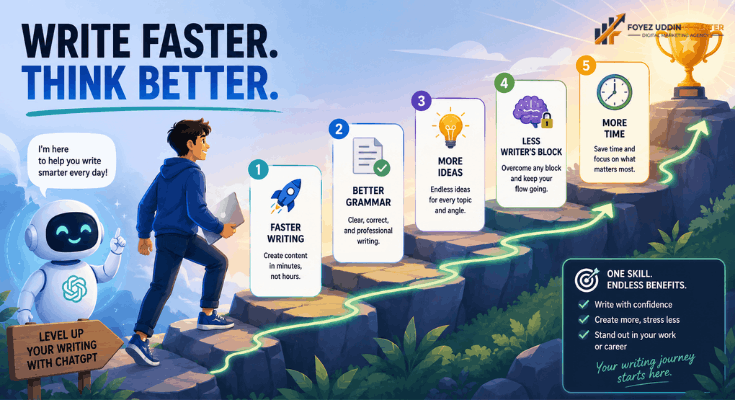
Content moves fast these days, and knowing how to use ChatGPT for writing gives you a real edge. It helps you:
- Publish faster
- Push through writer’s block
- Clean up grammar and structure
- Save money you’d otherwise spend on extra writers
- Spend more time on strategy and ideas, less on typing
That’s exactly why so many bloggers, marketers, and students keep searching for guides just like this one.
Wrapping Up
Learning how to use ChatGPT for writing might be one of the most useful skills you pick up this year. Blog posts, emails, essays, stories it can help with all of it. But here’s the thing to remember: AI is a tool, not a replacement for your own brain. The best writing happens when you combine ChatGPT’s speed with your own creativity, honesty, and personality. That mix is what makes AI-assisted writing feel real instead of robotic.
So go ahead and start small. Draft an email, write a short paragraph, and see how it feels. Then work your way up to bigger stuff like blog posts and essays. Give it some time, and you’ll notice a real difference in both your speed and the quality of what you produce.
Frequently Asked Questions
Q1. Is it free to learn how to use ChatGPT for writing?
Yep. ChatGPT has a free version that’s more than enough to get started. There are paid plans too, if you want extra features down the line.
Q2. Do I need any technical skills to use ChatGPT for writing?
Not at all. No coding, no tech background needed. Just type your request in plain English and follow the steps above.
Q3. Will ChatGPT replace human writers?
No. Think of it as a support tool, not a stand-in for actual human thinking and creativity. It helps you write; it doesn’t write for you.
Q4. Is ChatGPT content considered plagiarism?
It doesn’t have to be. Edit it, add your own words, and make it yours and original. Copy it straight through without changes, though, and you’re asking for duplicate content problems.
Q5. How do I make my ChatGPT content feel more unique?
Rewrite in your own style, throw in personal examples, and always double-check the facts before you hit publish.
Q6. Can I use ChatGPT for SEO blog writing?
Definitely. Bloggers use it all the time for keyword-based content, outlines, and meta descriptions, another big reason this skill is worth learning for SEO.