If you’ve been searching for the best free AI tools for productivity, you’re not alone. Millions of people now rely on AI every single day to save time, organize their work, and get more done with less effort. In this guide, we’ll break down the best free AI tools for productivity, answer the most common questions people ask about AI and productivity, and help you build a simple system that actually works.
Whether you’re a student, freelancer, entrepreneur, or full-time employee, the best free AI tools for productivity can help you write faster, plan better, and eliminate repetitive busywork all without spending a dime.
What Are Productivity Tools?
Productivity tools are apps, platforms, or systems designed to help you manage time, tasks, and information more efficiently. They range from simple to-do list apps to advanced AI-powered assistants that can write, plan, summarize, and organize on your behalf.
Traditionally, productivity tools included calendars, note-taking apps, and project management boards. Today, the best free AI tools for productivity go a step further; they don’t just help you organize your work; they actually help you do the work faster by writing drafts, analyzing data, generating ideas, and automating repetitive tasks.
Which Is the Best AI for Productivity?
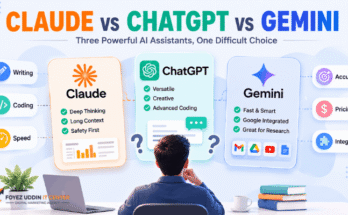
There’s no single “best” AI for everyone, because productivity needs differ from person to person. However, when people ask about the best AI for productivity, a few names consistently come up:
- ChatGPT: Great for writing, brainstorming, coding, and general assistance.
- Claude: Excellent for long-form writing, document analysis, and thoughtful reasoning.
- Google Gemini: Deeply integrated with Gmail, Docs, and Google Workspace.
- Notion AI: Best for note-taking and project management combined with AI.
- Microsoft Copilot: Ideal if you already use Word, Excel, and Outlook.
Each of these is considered among the best free AI tools for productivity, depending on what kind of work you do.
Is There a Better AI Than ChatGPT for Free?
Yes, “better” depends on the task. ChatGPT is a strong general-purpose assistant, but there are free alternatives that outperform it in specific areas:
- Claude often produces more natural, well-structured long-form writing and handles large documents better.
- Gemini integrates more tightly with Google’s ecosystem, making it one of the best free AI tools for productivity if you live inside Gmail and Google Docs.
- Perplexity AI is stronger for real-time research and citations.
So while ChatGPT remains extremely popular, it isn’t automatically the best choice for every productivity use case.
Which AI Is Better for Free?
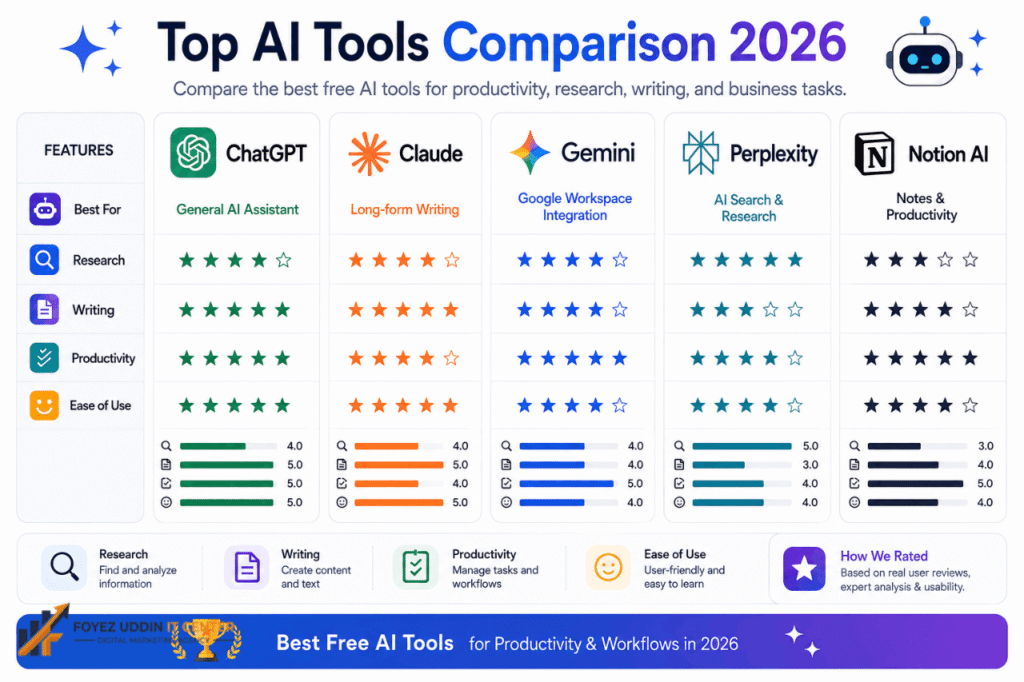
When comparing free plans specifically, the answer depends on your priority:
| Priority | Best Free Option |
| Writing & reasoning | Claude (Free) |
| General chat & versatility | ChatGPT (Free) |
| Google Workspace integration | Gemini (Free) |
| Research with sources | Perplexity (Free) |
| Note-taking & organization | Notion AI (Free tier) |
All of these are strong contenders for the title of best free AI tools for productivity, so the right pick comes down to your workflow.
Is There Any Totally Free AI?
Yes. Several AI tools offer generous free tiers with no credit card required, including:
- ChatGPT Free
- Claude Free
- Google Gemini Free
- Microsoft Copilot (basic tier)
- Perplexity Free
While free versions often have usage limits or fewer advanced features compared to paid plans, they are more than capable of covering everyday tasks, making them genuinely useful among the best free AI tools for productivity available today.
Which AI Is Better for Everything?
No single AI tool is objectively “better for everything” because different models specialize in different strengths: writing, coding, research, image generation, or data analysis. The smartest approach is to combine two or three of the best free AI tools for productivity rather than relying on just one. For example, many people use Claude for writing, ChatGPT for brainstorming, and Gemini for Google-integrated tasks.
What Are the Best AI Productivity Tools?
Here’s a curated list of the best AI productivity tools available for free right now:
- ChatGPT: Writing, brainstorming, coding help
- Claude: Long documents, structured writing, analysis
- Notion AI: Notes, docs, and project management
- Google Gemini: Email, docs, and calendar assistance
- Grammarly: AI-powered writing and grammar correction
- Otter.ai: Meeting transcription and summaries
- Canva Magic Studio: AI design and content creation
- Perplexity AI: Research with real-time citations
- Microsoft Copilot: Office suite integration
- Todoist AI: Smart task management
These tools collectively represent the best free AI tools for productivity across writing, planning, research, and organization.
What Is the Best AI Tool for Personal Use and Productivity?
For everyday personal use, Claude and ChatGPT are widely considered the best AI tools for personal productivity because they’re conversational, flexible, and don’t require technical skills. They can help you:
- Draft emails and messages
- Plan your day or week
- Summarize articles or documents
- Brainstorm ideas
- Learn new skills through simple explanations
For personal organization specifically, Notion AI and Google Assistant are also excellent additions to your toolkit of best free AI tools for productivity.
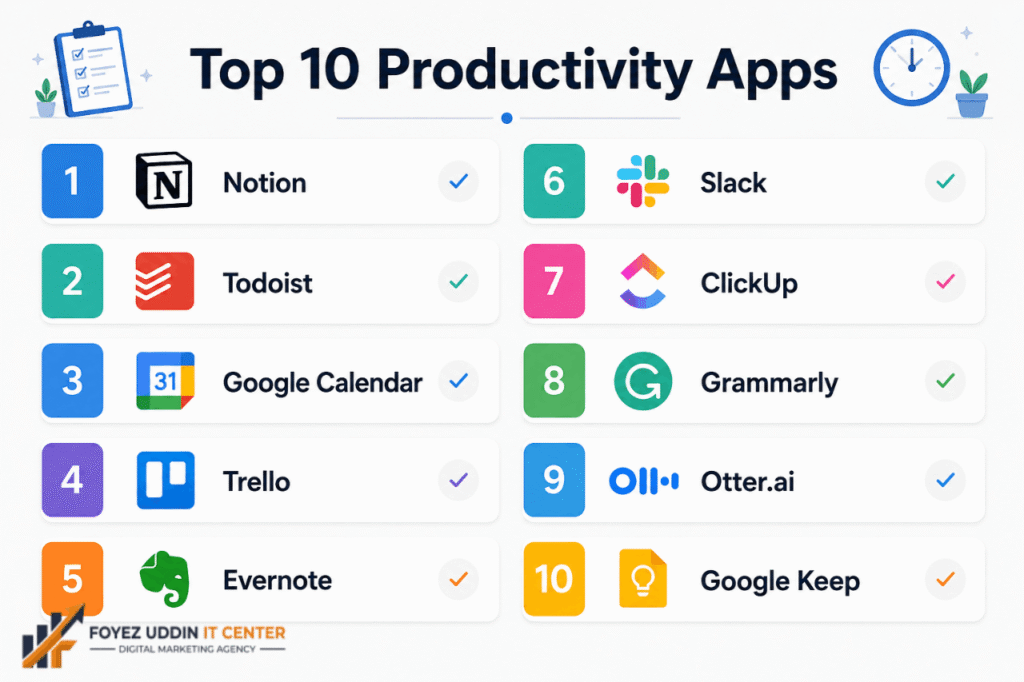
What Are the Top 10 Productivity Apps?
Beyond pure AI chat tools, here are ten productivity apps worth using:
- Notion
- Todoist
- Google Calendar
- Trello
- Evernote
- Slack
- ClickUp
- Grammarly
- Otter.ai
- Google Keep
Many of these now include built-in AI features, blending traditional productivity apps with the best free AI tools for productivity trends.
How to Use AI for Better Productivity?
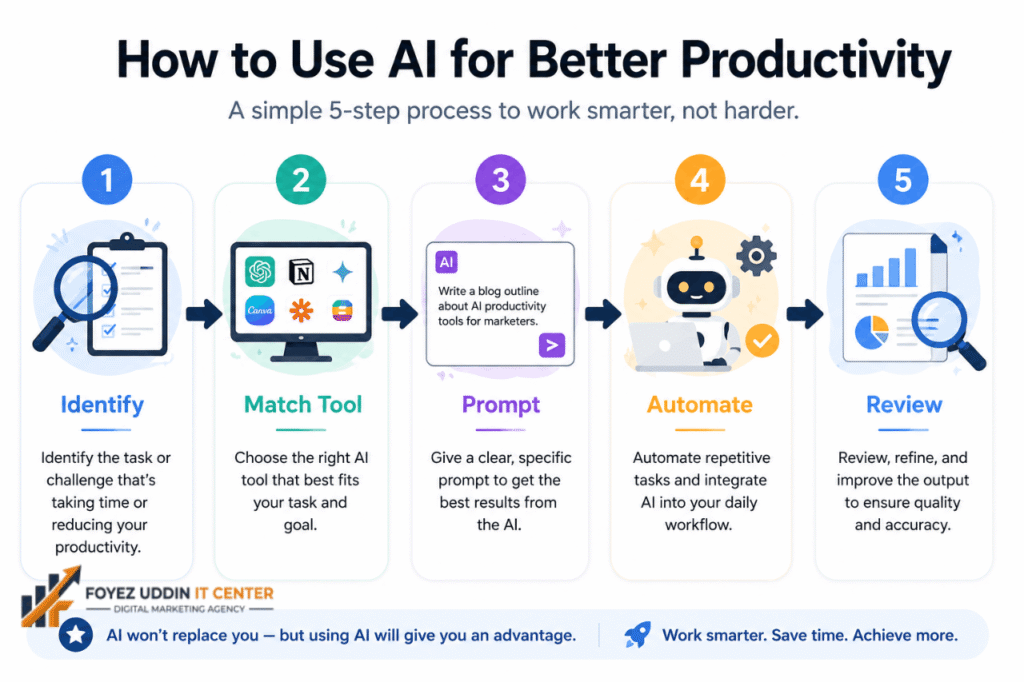
To get the most out of the best free AI tools for productivity, follow this simple approach:
- Identify repetitive tasks: writing emails, summarizing notes, scheduling.
- Match the task to the right tool: use Claude or ChatGPT for writing, Gemini for Google tasks, and Notion AI for organization.
- Write clear prompts. The more specific your request, the better the output.
- Automate where possible; use AI to draft first versions, then refine.
- Reviewing and editing AI speeds things up, but human judgment still matters.
Using even two or three of the best free AI tools for productivity consistently can save several hours per week.
What Are Google’s Productivity Tools?
Google offers a full suite of productivity tools, many of which now include AI features:
- Gmail (with Gemini AI writing assistance)
- Google Docs, Sheets, and Slides (AI-powered suggestions)
- Google Calendar (smart scheduling)
- Google Keep (quick notes)
- Google Tasks (to-do lists)
- Google Drive (file organization with AI search)
Together with Gemini, Google’s ecosystem is one of the best free AI tools for productivity for anyone already using Gmail and Docs daily.
What Is the Best Simple Productivity System?
The simplest and most effective productivity system combines three elements:
- A task list: Todoist, Google Tasks, or Notion
- A calendar: Google Calendar
- An AI assistant: for drafting, summarizing, and planning Claude or ChatGPT
This lightweight combination, powered by the best free AI tools for productivity, is enough for most people to stay organized without feeling overwhelmed by complicated systems.
What Is an AI Productivity Tool?
An AI productivity tool is any application that uses artificial intelligence to help you complete tasks faster, smarter, or with less manual effort. Instead of just storing your notes or tasks like traditional apps, an AI productivity tool can actively generate content, summarize information, answer questions, and make suggestions on your behalf.
For example, instead of manually writing an email from scratch, one of the best free AI tools for productivity can draft it for you in seconds based on a short prompt. This shift from passive tools to active AI assistants is exactly what sets modern AI productivity tools apart from older software.
Why Should You Use AI Productivity Tools?
There are several strong reasons to start using the best free AI tools for productivity in your daily routine:
- Save time: AI can draft, summarize, and organize in seconds instead of minutes or hours.
- Reduce mental load: Offload repetitive thinking, like structuring an email or outlining a report.
- Improve quality: AI tools catch errors, suggest improvements, and offer polished first drafts.
- Boost consistency: Automate recurring tasks so nothing falls through the cracks.
- Lower costs: Since many of the best free AI tools for productivity are free, you get professional-level support without paying for expensive software or assistants.
In short, using AI productivity tools isn’t about replacing effort; it’s about multiplying it so you can focus your energy on higher-value work while AI handles the repetitive parts.
Conclusion
The best free AI tools for productivity aren’t about replacing your effort; they’re about removing friction so you can focus on what actually matters. From writing and research to planning and organization, tools like ChatGPT, Claude, Gemini, and Notion AI make it easier than ever to get more done in less time, all without paying a cent.
Start small: pick one or two of the best free AI tools for productivity mentioned above, use them consistently for a week, and you’ll likely notice a real difference in how much you accomplish.
FAQs
Q1: What are the best free AI tools for productivity in 2026?
A: ChatGPT, Claude, Google Gemini, Notion AI, and Perplexity are among the best free AI tools for productivity right now.
Q2: Can I really use AI tools for free long-term?
A: Yes. Most major AI platforms offer permanently free tiers, though with some usage limits compared to paid plans.
Q3: Which AI tool is best for writing?
A: Claude and ChatGPT are both excellent for writing, editing, and brainstorming content.
Q4: Do I need technical skills to use AI productivity tools?
A: No. Most AI productivity tools are designed for everyday users and require no coding or technical background.
Q5: Can AI tools replace traditional productivity apps?
A: Not entirely. AI tools work best when combined with traditional apps like calendars and task managers for a complete productivity system.
Q6: What’s the easiest way to start using AI for productivity?
A: Start with one task, like drafting emails or summarizing notes, using a free AI tool like ChatGPT or Claude, then expand from there.
Q7: What is an AI productivity tool?
A: It’s an app that uses artificial intelligence to actively help you complete tasks, writing, summarizing, and planning rather than just storing information passively.
Q8: Why should you use AI productivity tools?
A: They save time, reduce mental effort, improve output quality, and are often free, making them a low-cost way to get more done each day.