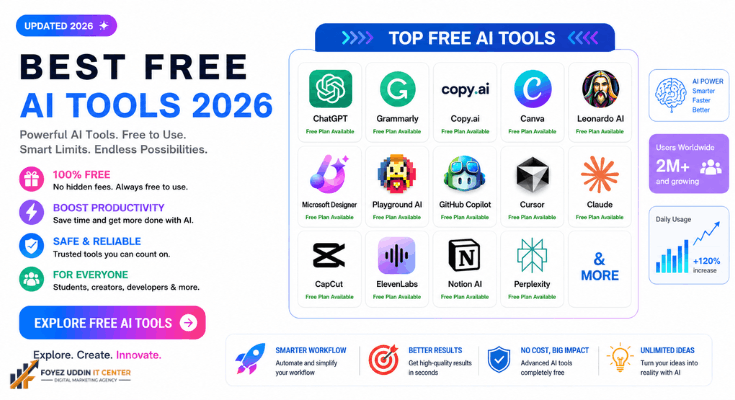
The best free AI tools of 2026 have to offer aren’t hiding behind a paywall; you just need to know where to look. This guide covers the tools that are genuinely free (not a seven-day trial in disguise), organized by what you’re actually trying to do: write, design, code, edit video, study, or just get organized.
Here’s what’s ahead: writing and content tools, image and design generators, coding assistants, video and audio editors, productivity and research tools, and a comparison table you can scan in ten seconds. Let’s get into it.
What Counts as “Truly Free” in This List of AI Tools
Before naming names, a quick note on methodology. A lot of the best free AI tools roundups quietly recommend apps that are free for three days and then lock you out. That’s not what you’ll find here.
To make this list of the best free AI tools of 2026, a tool had to meet three criteria:
- A permanent free tier, not a trial that expires.
- No credit card required to start; you shouldn’t have to hand over payment details just to test a tool.
- Real usability at the free tier: enough credits, exports, or generations to actually get something done, not just a taste.
Where a tool’s pricing looked like it might have shifted recently, it’s flagged below as “verify current pricing” rather than stated as fact. Pricing in this space moves fast, and you should always double-check before building a workflow around a free tier.
Best Free AI Writing Tools in 2026
If you write anything, emails, blog posts, essays, or ad copy, it is worth having in your bookmarks bar.
ChatGPT (Free Tier): OpenAI’s free tier remains one of the most capable general-purpose writers available at no cost. It’s strong for outlining, drafting, tone-shifting, and brainstorming.
- Best for: anyone who wants one flexible tool for writing, research, and quick Q&A.
- Free-tier limits: rate-limited access to a lighter model, with occasional access to more advanced models during off-peak use. Verify current pricing and limits before relying on it for daily work.
- Standout feature: the breadth of what it can do in one chat window, outline, draft, and revise without switching apps.
Grammarly Free: Less of a writer, more of an editor. Grammarly’s free tier checks grammar, clarity, and tone as you type across most apps and browsers.
- Best for: students, professionals, and non-native English writers who want a safety net.
- Free-tier limits: basic grammar and clarity suggestions; advanced tone and plagiarism checks are typically gated behind Premium. Verify current pricing.
- Standout feature: works everywhere you type, not just inside one app.
Copy.ai (Free Plan) Built specifically for marketing copy, product descriptions, ad headlines, and social captions.
- Best for: small business owners and marketers who need short-form copy fast.
- Free-tier limits: a monthly word or credit cap that resets. Verify current pricing.
- Standout feature: templates built around specific copywriting formulas, so you’re not starting from a blank page.
Best Free AI Image and Design Tools
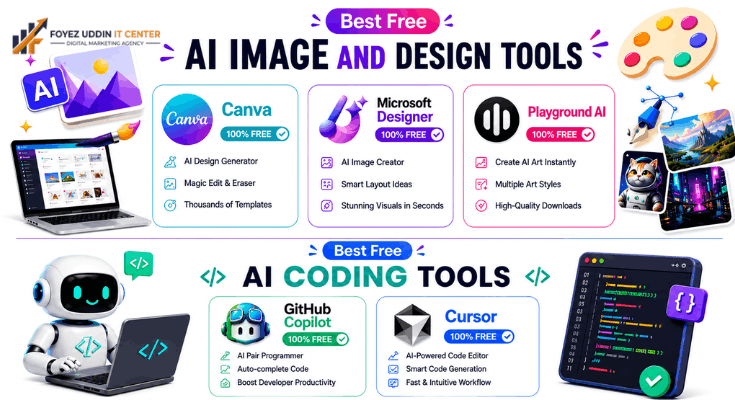
Canva’s Free AI Tools: Canva is one of the best free AI tools. Canva’s free plan bundles a surprising number of AI features: background removal, text-to-image generation (Magic Media), and a design assistant, all inside a drag-and-drop editor.
- Best for: anyone making social posts, presentations, or simple graphics without design skills.
- Free-tier limits: a monthly cap on AI credits used across features like Magic Media and background removal. Verify current pricing.
- Standout feature: AI generation lives inside a full design tool, so you can generate an image and immediately drop it into a finished layout.
Microsoft Designer: A free, browser-based design tool with built-in AI image generation, powered by the same underlying models behind Bing’s image creator.
- Best for: quick social graphics and simple marketing assets.
- Free-tier limits: a daily or monthly generation cap tied to your Microsoft account. Verify current pricing.
- Standout feature: fast, no-login-friction image generation baked into a real design canvas.
Playground AI: A dedicated image generator with a genuinely usable free daily allowance.
- Best for: hobbyists and creators who want more control over image style and generation settings than a bundled tool offers.
- Free-tier limits: a set number of free generations per day. Verify current pricing.
- Standout feature: fine-grained control over style, aspect ratio, and model choice, without paying anything upfront.
Best Free AI Coding Tools
GitHub Copilot (Free Tier): GitHub introduced a genuinely free tier of Copilot with a monthly cap on completions and chat interactions, right inside your editor.
- Best for: students, hobbyist developers, and anyone testing whether AI pair-programming fits their workflow before paying.
- Free-tier limits: a monthly cap on code completions and chat requests. Verify current pricing.
- Standout feature: it lives directly in VS Code and other editors, so there’s zero context-switching.
Cursor (Free Tier): An AI-first code editor built on top of VS Code, with a free tier for smaller projects and lighter usage.
- Best for: developers who want an AI-native editor rather than a plugin bolted onto an old one.
- Free-tier limits: limited premium model requests per month before falling back to slower or older models. Verify current pricing.
- Standout feature: codebase-aware chat that understands your whole project, not just the open file.
Best Free AI Video and Audio Tools
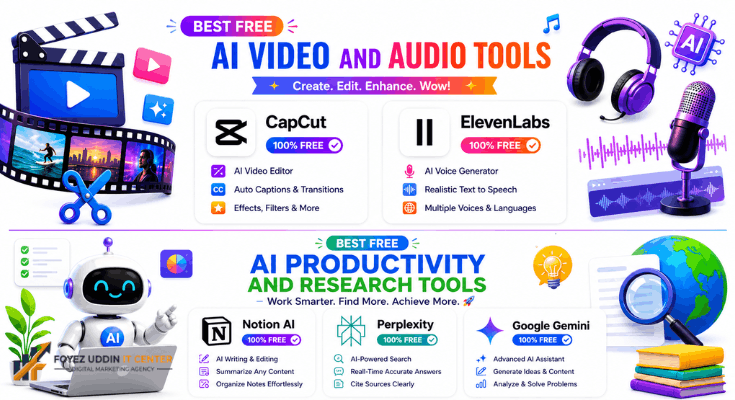
I think CapCut is one of the best free AI tools. CapCut is free, powerful, and genuinely popular with creators. CapCut’s AI features include auto-captions, background removal, and text-to-speech.
- Best for: short-form video creators making content for TikTok, Reels, or Shorts.
- Free-tier limits: Most core features are free; some premium effects and stock assets sit behind a paywall. Verify current pricing.
- Standout feature: auto-captioning that’s fast and accurate enough to skip manual subtitle work entirely.
ElevenLabs (Free Tier): I think the best free AI tool for video creators is ElevenLabs. The most natural-sounding free text-to-speech tool widely available, with a monthly character allowance.
- Best for: podcasters, video creators, and anyone prototyping voiceovers.
- Free-tier limits: a monthly character quota that resets. Verify current pricing.
- Standout feature: voice quality that’s hard to distinguish from a human narrator, even on the free plan.
Best Free AI Productivity and Research Tools
Notion AI (Free Trial Credits, Bundled Free Features): Another of the best free AI tools is Notion AI for small businesses and freelancers. Notion’s core workspaces are free, and some AI features are available in a limited form without upgrading.
- Best for: people already using Notion for notes, docs, or project management.
- Free-tier limits: full AI features generally require a paid add-on; check what’s included free. Verify current pricing.
- Standout feature: AI assistance sits right inside the docs and databases you’re already using.
Perplexity (Free Tier): Perplexity is an AI search engine that answers questions with cited, linked sources rather than a plain chat response.
- Best for: research, fact-checking, and getting quick answers with sources you can actually click through to.
- Free-tier limits: unlimited basic searches, with a capped number of “Pro” searches using more advanced models. Verify current pricing.
- Standout feature: every answer comes with clickable citations, which makes it far easier to verify than a typical chatbot.
Google Gemini (Free Tier): One of the best free AI tools for anyone already living inside Google’s ecosystem, Gemini is built into Gmail, Docs, and Search for free users at a basic level, with a standalone app as well.
- Best for: anyone already living inside Google Workspace.
- Free-tier limits: access to a lighter model with usage caps; advanced models and deeper Workspace integration usually require a paid plan. Verify current pricing.
- Standout feature: native integration with Gmail and Docs means less copy-pasting between apps.
Red Flags to Watch For When a Tool Claims to Be “Free”
Not every tool claiming to belong on a list of the best free AI tools actually earns that label, and it’s easy to get burned if you don’t read the fine print. A few patterns worth watching for before you commit time to setting up a new tool:
“Free trial” dressed up as one of the best free AI tools. Some sites use the word “free” in their headline copy and then require a credit card at signup, with billing starting automatically after a short window. If a signup form asks for payment details before you’ve used a single feature, that’s a trial, not a free tier.
Watermarks on everything, with no way to remove them for free. A watermark on generated images or exported videos is a completely normal part of a free tier; the issue is when a tool markets itself among the best free AI tools, but the output is unusable without paying, which effectively makes the “free” version a demo.
Vague or missing usage limits. The genuinely best free AI tools state their limits clearly: X generations per day, Y words per month. If a tool is cagey about what you actually get for free, it’s often because the limit is small enough to discourage real use.
Data and privacy trade-offs. Some free AI tools fund themselves by using your inputs to train future models or by reselling anonymized usage data. That’s not necessarily disqualifying, but it should be a conscious choice, not something you discover later in a terms-of-service page you skipped.
None of the best free AI tools listed above were included based on marketing claims alone; each one has a documented, ongoing free tier at the time of writing. going free tier at the time of writing. Still, treat every “free” label as something to verify yourself, especially since companies do change their pricing structure with little warning.
Frequently Asked Questions
Are these AI tools really free, or is there a hidden catch?
Every tool on this list of the best free AI tools has a genuine free tier that doesn’t require a credit card to start. That said, most free tiers come with usage caps, a monthly credit limit, a daily generation cap, or access to a lighter model instead of the most advanced one. That’s a normal trade-off, not a hidden catch, as long as it’s disclosed upfront, which is why this guide calls out the specific limit for each tool.
Do I need to give my email or sign up for anything?
Most of the best free AI tools require at least an email or a Google account to create a free account, since that’s how they track your usage limits. None of the tools recommended here should ask for payment information just to start using the free tier. If one does, treat that as a red flag rather than standard practice.
Which free AI tool should I start with if I can only pick one?
If you had to pick just one from this list of the best free AI tools, a general-purpose assistant like ChatGPT or Gemini covers the widest range of tasks, writing, brainstorming, research, and light coding help, before you need to add anything more specialized to your toolkit.
Will these free tools still be free by the time I read this?
Almost certainly, some limits will have shifted. AI companies adjust free-tier terms often, sometimes tightening them and sometimes loosening them to compete for users, which is exactly why any honest list of the best free AI tools should flag “verify current pricing” rather than treating any single number as permanent. Always check a tool’s official pricing page before you build a workflow around it.
How to Choose the Right Free AI Tool for You
With this many options, the fastest way to decide is to start from your actual task, not the tool’s hype.
- Writing and editing: Start with ChatGPT for drafting and Grammarly for polishing.
- Design and graphics: Canva if you want an all-in-one editor; Playground AI if you want more creative control.
- Coding: GitHub Copilot if you’re already in VS Code; Cursor if you want an AI-first editor from the ground up.
- Video and audio: CapCut for editing, ElevenLabs for voiceover.
- Research and productivity: Perplexity for sourced answers and Gemini if you live in Google Workspace.