
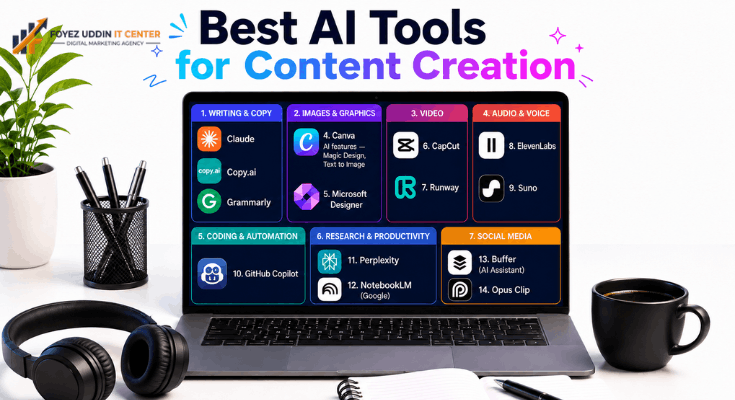
If you’ve spent any time online this year, you’ve noticed that the best AI tools for content creation are no longer a novelty; they’re the backbone of how creators, marketers, and small teams get work done. Whether you’re writing blog posts, editing video, generating graphics, or recording a podcast, there’s now a free AI tool that can carry a real chunk of that workload.
This guide isn’t a list of every AI tool that exists. It’s a curated rundown of the ones that are actually worth installing, organized by what you’re trying to make, with honest notes on their free-tier limits so you don’t get surprised by a paywall halfway through a project.
What Makes a Tool “Free” (Not Just a Free Trial)
Before diving into the list, it’s worth drawing a line between two very different things: a genuinely free tier and a 7-day trial dressed up as “free.”
A lot of tools marketed as free eventually funnel you toward a subscription the moment you try to export, remove a watermark, or generate more than a handful of items. That’s not free; that’s a demo.
For this list of the best AI tools for content creation, we only included tools with:
- A permanent free tier (not a time-limited trial)
- Clear, published usage limits (credits, generations, or monthly caps)
- No forced credit card entry just to test the free plan
If a tool blurred that line, we noted it explicitly rather than pretending otherwise.
Best AI Tools for Content Creation: Writing & Copy
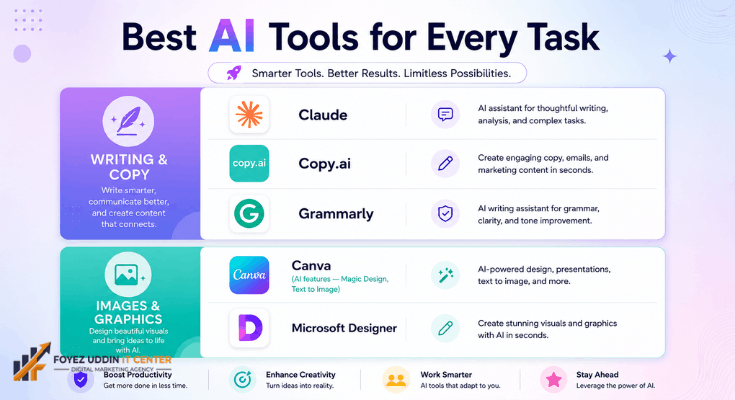
Writing is still where AI tools get used the most, and the space has matured well beyond generic paragraph generators.
Claude
Claude (by Anthropic) handles long-form writing, editing, and research synthesis with a free tier that’s genuinely usable for daily content work, not just quick tests. It’s particularly strong for outlining articles, tightening drafts, and maintaining a consistent voice across a series of posts. You can read more about its capabilities on the official Anthropic site.
- Best for: Bloggers, freelance writers, and marketers who need structured long-form content
- Free-tier limits: Daily message caps that reset regularly; exact limits vary by usage tier
- Standout feature: Strong reasoning and editing quality on long, structured documents.
Copy.ai
Copy.ai focuses on short-form marketing copy, product descriptions, ad variations, and email subject lines, and its free plan is generous enough for solo creators managing a small content calendar. Details are on their official pricing page.
- Best for: Small business owners writing product and ad copy
- Free-tier limits: Limited monthly word credits
- Standout feature: Dozens of pre-built templates for specific marketing formats
Grammarly
Grammarly remains one of the most reliable free tools for polishing content before publishing. It won’t generate ideas for you, but as an editing layer, it catches issues most writers miss on their own read-through. See their official site for current plan details.
- Best for: Anyone publishing content who wants a final grammar and clarity pass
- Free-tier limits: Core grammar and spelling checks; advanced tone and style suggestions are paid
- Standout feature: Real-time suggestions inside most browsers and writing apps
When people search for the best AI tools for content creation, writing assistants are almost always the entry point, and for good reason. They’re the lowest-friction way to see immediate time savings.
Quick Pick: Best AI Tools for Content Creation in Writing
If you only try one tool from this section, start with Claude for long-form drafts and Grammarly for the final polish pass; that combination alone covers most blogging workflows.
Best AI Tools for Content Creation: Images & Graphics
Visual content is where a lot of creators hit a skill ceiling. These tools lower that ceiling considerably.
Canva’s AI features
Canva’s AI features (Magic Design, Text to Image) are bundled into its already-massive free design platform, making it one of the most practical entries on any list of the best AI tools for content creation for people who need graphics fast and don’t have design training.
- Best for: Social media graphics, thumbnails, presentation slides
- Free-tier limits: Limited monthly AI credits for generation features; core design tools are unlimited
- Standout feature: AI generation is built directly into a full design editor, so you can generate and immediately edit
Microsoft Designer
Microsoft Designer offers free AI image generation powered by DALL·E, integrated with easy export options for social posts and banners. Check current limits on the official Microsoft page.
- Best for: Quick social graphics and marketing visuals
- Free-tier limits: Daily generation “boosts” that refresh regularly
- Standout feature: Clean integration with Microsoft’s design templates
AI Video Tools for Content Creators
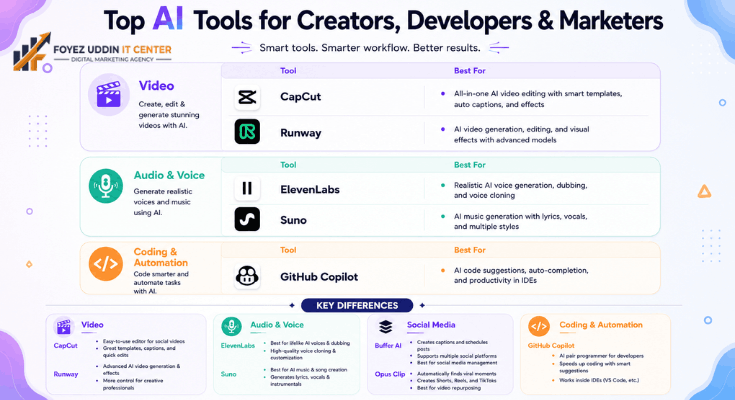
Video used to require the steepest learning curve of any content format. AI has flattened a lot of that.
CapCut
CapCut has built one of the most complete free AI video toolkits available. Auto-captioning, background removal, script-to-video generation, and voice cloning are all accessible without a subscription for most core use cases. Full details at their official site.
- Best for: Short-form video creators (Reels, TikTok, Shorts)
- Free-tier limits: Watermark-free exports for most features; some premium effects are locked
- Standout feature: Auto-captions that are genuinely accurate across multiple languages
Runway
Runway offers free-tier access to some of the most advanced generative video features on the market, including text-to-video and video editing tools that would have been unthinkable to get for free a couple of years ago. See the official Runway site for current credit allowances.
- Best for: Experimental short clips, B-roll generation, creative video projects
- Free-tier limits: Limited generation credits per month
- Standout feature: Genuinely high-quality generative video output, not just filters
Quick Pick: Best AI Tools for Content Creation in Video
For most short-form creators, CapCut alone covers 90% of what you need; reach for Runway only when a project calls for fully generated clips.
AI Audio and Voice Tools
Audio content, podcasts, voiceovers, and background music have quietly become one of the strongest use cases for free AI tools.
ElevenLabs
ElevenLabs offers natural-sounding text-to-speech with a usable free tier, making it a go-to choice for creators who need voiceovers without recording equipment or professional narration skills. Pricing and limits are on their official site.
- Best for: Podcast intros, video voiceovers, audiobook samples
- Free-tier limits: Limited monthly character count for generation
- Standout feature: Voice quality that’s difficult to distinguish from a human narrator
Suno
Suno generates full songs, including vocals and instrumentation, from a text prompt, useful for background music or intro jingles without licensing headaches.
- Best for: Royalty-free background music and short jingles
- Free-tier limits: Limited number of generations per day
- Standout feature: Full songs generated from a simple text description
AI Coding and Automation Tools
Not all content creation is writing or media; a lot of it is the infrastructure behind a content business: websites, automations, and simple apps.
GitHub Copilot
GitHub Copilot offers a free tier for individual developers and students, providing code suggestions that speed up building or maintaining a content platform, whether that’s a custom blog, a Chrome extension, or a small automation script. Details at the official GitHub site.
- Best for: Creators building their own tools, sites, or automations
- Free-tier limits: Monthly completion limits for the free plan
- Standout feature: Deep integration with existing coding workflows
Research and Productivity Tools
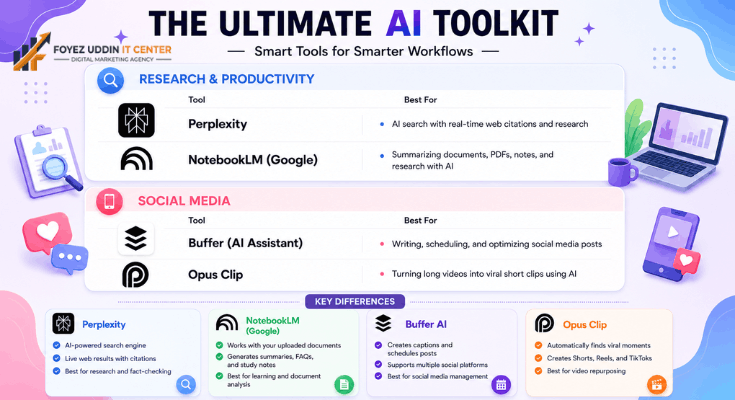
Good content starts with good research, and this is an area where free AI tools have made a real dent in how long that stage takes.
Perplexity
Perplexity functions as an AI-powered search and research assistant, pulling and citing sources in real time, useful for fact-checking claims or gathering background before writing. See the official Perplexity site for plan details.
- Best for: Research-heavy content, fact-checking, source gathering
- Free-tier limits: Unlimited basic searches; advanced “Pro” search modes are capped
- Standout feature: Cited sources are included directly in every answer
NotebookLM
NotebookLM by Google turns uploaded documents, PDFs, and notes into summaries, study guides, and even audio overviews, genuinely useful for turning research material into an outline before writing a single word.
- Best for: Synthesizing long research documents into content outlines
- Free-tier limits: Generous document upload limits for a free product
- Standout feature: Audio “overview” feature that turns notes into a conversational summary
AI Tools for Social Media Content Creation
Social platforms move fast, and this is one area where the best AI tools for content creation genuinely change how much a single person can publish in a week.
Buffer’s AI Assistant
Buffer’s AI Assistant helps draft captions, suggest hashtags, and repurpose one piece of content into formats for multiple platforms, turning a single blog post into a week’s worth of social posts without starting from scratch each time.
- Best for: Solo creators managing multiple social accounts.
- Free-tier limits: Limited connected channels and scheduled posts per month.
- Standout feature: One-click repurposing of long-form content into platform-specific captions.
Opus Clip
Opus Clip scans long videos, podcasts, webinars, and livestreams and automatically finds and clips the most shareable moments, complete with captions and reframing for vertical formats. It’s become a favorite among creators who record long-form content but need short clips to actually get discovered.
- Best for: Podcasters and streamers repurposing long content into shorts
- Free-tier limits: Limited monthly minutes processed
- Standout feature: Automatic identification of “clip-worthy” moments, not just random cuts
Among the best AI tools for content creation for social media specifically, the common thread is repurposing, taking one piece of long-form work and multiplying its reach without multiplying the effort.
How These Tools Were Chosen
This list of the best AI tools for content creation wasn’t built from marketing pages alone. Each tool had to meet three criteria: a genuinely free (not trial) tier, transparent usage limits, and real usefulness for people actually publishing content on a regular schedule.
Tools that required a credit card for the “free” plan, or that buried their real limits behind vague language like “generous limits,” were left off. If pricing structures shift, which they do often in this space, treat the notes above as a starting point and confirm current terms directly on each tool’s site.
Final Thoughts
The best AI tools for content creation right now span far more than writing assistants. Between free tiers for video, image, audio, research, and even light coding, a solo creator or small team can realistically cover an entire content pipeline from first draft to published post without paying for software.
The tools above are a solid starting stack. Test two or three from different categories rather than trying all of them at once, and build your workflow around whichever ones actually save you time on your specific format.
Frequently Asked Questions
What are the best AI tools for content creation if I’m just starting?
Start with one tool per format: a writing assistant like Claude for text, Canva for graphics, and CapCut if you’re making a video. Adding more tools before you’ve mastered the basics tends to slow people down rather than speed them up.
Are free AI tools actually good enough for professional content?
Many of the best AI tools for content creation are genuinely good enough for professional work, especially for drafting, editing, and first-pass design. The gap between free and paid tiers usually shows up in export quality, generation limits, or advanced features, not in the core output quality itself.
Do I need to pay eventually?
Most creators outgrow the free tiers of the best AI tools for content creation as their output volume increases, not because the free version stops working. It’s worth starting free and only upgrading once you’ve identified exactly which limit is actually holding you back.
How often does this list of the best AI tools for content creation change?
Fairly often. This space moves quickly, with pricing and free-tier limits shifting every few months. Bookmark the official sites linked throughout this guide rather than relying on screenshots or older reviews.



One Comment on “Best AI Tools for Content Creation: 2026 Complete Guide”