Want a great-looking picture but don’t want to hire a designer or wrestle with Photoshop? A free AI image generator has you covered. Type a sentence. Get a picture back. That’s really it.
Here’s what we’ll cover: what this tool actually is, how it pulls off the trick of turning words into pictures, why people love it, and how to pick a good one. We’ll also answer a few questions you’re probably already asking, plus some tips to help you get better results.
More and more creators, students, and small business owners are hunting for cheaper, faster ways to make visuals. Hiring a designer takes time and money, two things beginners rarely have much of. That’s the gap a free AI image generator fills. No cost, no skill required, just an idea and a few seconds.
Stick around, because by the end of this you’ll know exactly how to pick one, how to prompt it properly, and what pitfalls to watch for.
What Is a Free AI Image Generator?
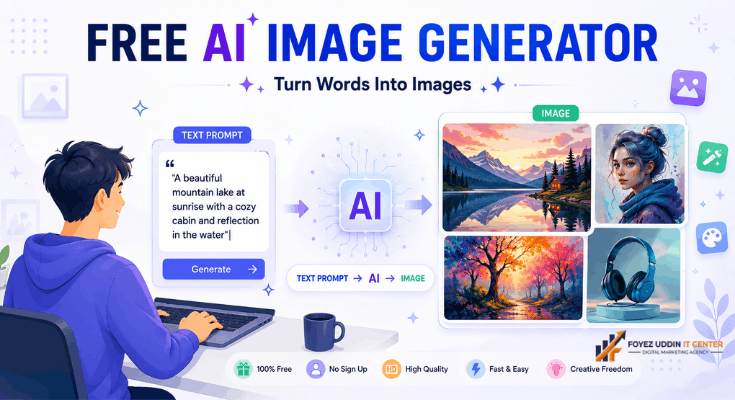
A free AI image generator is a tool that uses artificial intelligence to turn your words into a picture. You type a short description, a “prompt,” and the tool builds an image around it. Type “a cat sitting on the moon,” and that’s roughly what you’ll get back.
“Free” means exactly what it sounds like: no payment for the basic version. Plenty of companies offer a free AI image generator so newcomers can test the tech before deciding whether to upgrade. And since you don’t need to know how to draw a single line, literally anyone can use it; no art degree required.
How Does It Actually Work?
Under the hood, a free AI image generator runs on machine learning models trained on millions of images and their captions. Over time, the AI figures out how certain words connect to certain shapes, colors, and patterns.
When you type a prompt, a free AI image generator reads your words and starts predicting what the finished picture should look like. Then it builds the image, piece by piece. A few seconds later, you’ve got a result ready to download or tweak. Many tools even let you pick a style, realistic, cartoon, or painted, so you’re not stuck with whatever the AI feels like giving you.
Why Bother Using One?
Good question. Here’s why so many people have switched over from traditional design methods:
- It’s fast. Seconds, not hours.
- No skills needed. Complete beginners do fine.
- Doesn’t cost a thing. The basic version is free, full stop.
- A lifesaver for content creators. Bloggers and YouTubers lean on it for thumbnails and blog images.
- Great for small businesses. You can whip up social posts without paying a designer.
- Endless ideas. Type as many prompts as you want until something clicks.
Add it all up, and it’s easy to see why a free AI image generator has become a daily habit for millions of people. It’s not hype; it genuinely closes a gap that used to require money, software, and patience most beginners just didn’t have.
What to Look For in a Good One
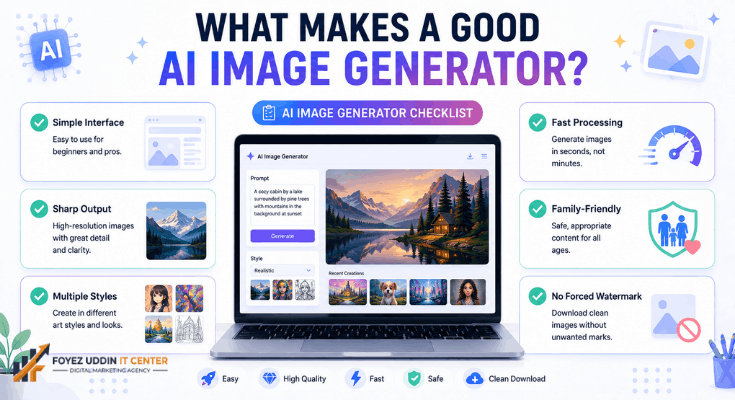
Not all tools are created equal. Some churn out sharp, usable images. Others… not so much. When you’re comparing options, keep an eye out for:
Once you find a free AI image generator worth trying, here’s what separates the good ones from the mediocre ones:
- A simple interface. You shouldn’t need a manual.
- Sharp, clean output. Blurry images help no one.
- A range of art styles. Realistic, anime, 3D options matter.
- Quick processing. Nobody wants to stare at a loading bar.
- Family-friendly filters. Keeps things appropriate.
- No forced watermark. You should be able to download a clean image.
Take a few minutes to poke around the platform’s help page or FAQ, too. It’ll usually tell you about hidden limits, supported file types, and any rules on how you’re allowed to use the images later. It sounds like a boring step, but skipping it is exactly how people end up frustrated three images in, right when they hit a paywall they didn’t know was coming.
Where People Actually Use This Stuff
People reach for a free AI image generator for all kinds of reasons. Here are the big ones.
Blog and Website Images
Bloggers use it to whip up featured images and illustrations, which saves a chunk of cash they’d otherwise spend on stock photos. A good image also makes an article look sharper and keeps readers around longer.
Social Media Content
Need eye-catching posts for Instagram, Facebook, or Pinterest but have zero design background? A free AI image generator makes it possible to keep your feed looking fresh, day after day, without ever opening a design app.
Marketing and Advertising
Small businesses churn out posters, banners, and ad creatives fast and cheap with a free AI image generator. That’s a big deal for startups without the budget for a full-time designer or an agency.
Educational Projects
Teachers and students use a free AI image generator to make presentations and worksheets more visual. Let’s be honest, pictures explain things faster than a wall of text ever will.
Personal Art Projects
Plenty of people just use a free AI image generator for fun. Turning your imagination into digital art without buying expensive software? That’s a pretty good deal.
App and Game Development
Solo developers often need placeholder art, icons, or backgrounds while building something. Instead of paying an artist for rough drafts, they use a free AI image generator to test how visuals might look before investing in the real thing.
So yeah, a free AI image generator shows up everywhere: business, school, hobbies, you name it. Once you start using one, you’ll probably notice reasons to reach for it that never crossed your mind before.
How to Pick the Right One
With so many options floating around, choosing the right free AI image generator can feel overwhelming, especially if you’re new to this. Here’s a simple way to narrow it down.
Step 1: Check the free limits. Some platforms only give you so many images per day. If you’re a heavy user, plan around that; nothing is worse than running out mid-project.
Step 2: Read the reviews. See what other people say about speed, accuracy, and overall quality before you sink time into it.
Step 3: Test the output. Run a few prompts through the free AI image generator you’re considering and see how closely the results match what you asked for.
Step 4: Check the license. Some tools allow commercial use. Others don’t. Know this before you publish anything.
Step 5: Look for bonus features. Some platforms bundle editing tools, background removal, and resizing right alongside their free AI image generator. That can save you a few extra steps later.
Spend a little time comparing before you settle on a free AI image generator. Testing two or three tools side by side beats blindly committing to the first thing you click on. You’ll thank yourself later when you’re not stuck with a tool that can’t do what you need.
Tips to Get Better Results
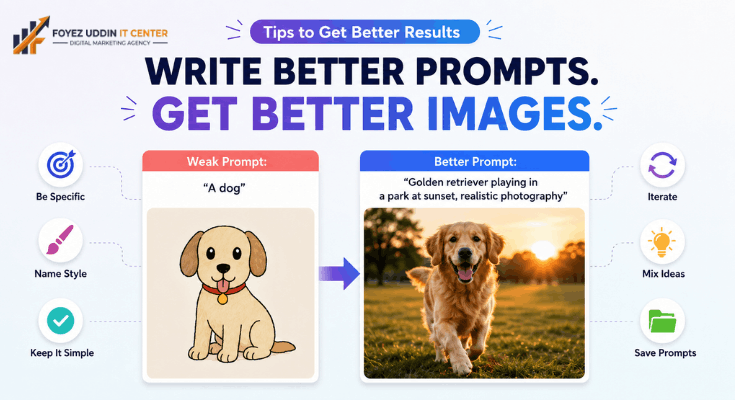
How well this works often comes down to how you write your prompt. A few things that help:
- Get specific. “A dog” is vague. A golden retriever playing in a park at sunset” gives the AI something to work with.
- Name the style. Words like “realistic,” “cartoon,” or “watercolor” point the tool in the right direction.
- Keep it simple. Plain language beats overly technical wording every time.
- Try again if it’s off. Small tweaks to your prompt can completely change what your free AI image generator gives you.
- Mix things up. Combining objects, colors, and moods usually leads to more interesting results.
- Save what works. Keeping a running list of prompts you liked makes it way easier to recreate good results with your free AI image generator later.
Give it some practice, and using a free AI image generator starts feeling second nature.
A Few Limitations Worth Knowing
A free AI image generator is great, but not perfect. Before you lean on one for anything important, keep these in mind:
- Limited free credits. Most platforms cap how many free images you get per day or month.
- Lower resolution. Free versions sometimes produce smaller images than the paid tiers, which is not ideal for big prints or banners.
- Occasional weirdness. AI still messes up hands, faces, or text sometimes. It’s not perfect yet.
- Usage restrictions. Not every tool lets you use images commercially, so check before slapping one on a paid product or ad.
- You need internet. A free AI image generator runs online, so a shaky connection can slow things down or time out entirely.
Knowing these limits upfront means you won’t get blindsided halfway through a project. And honestly, most of these issues fade a little more with every update. The free AI image generator you use today probably won’t have the same quirks a year from now.
Wrapping Up
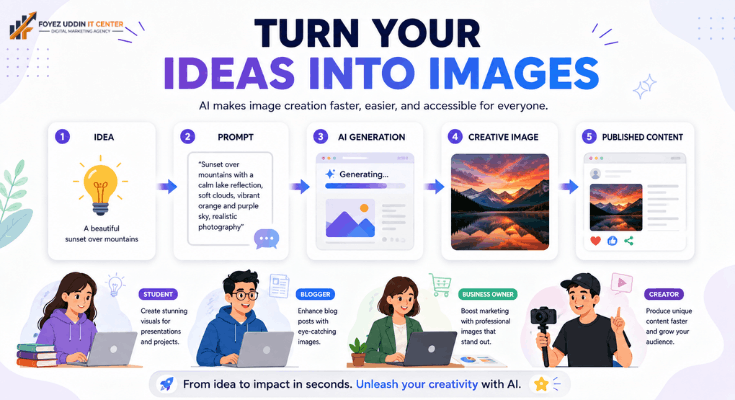
A free AI image generator has genuinely changed how people make images. It’s fast, it’s free to start, and you don’t need any design chops at all. Blogger, student, business owner, or hobbyist doesn’t matter. You can turn an idea into a real picture in seconds.
Sure, there are a few rough edges, limited free credits, and the occasional glitchy result, but the upside far outweighs those small annoyances. And as the tech keeps improving, a free AI image generator is only going to get faster and more accurate.
Haven’t tried one yet? Now’s a good time to give a free AI image generator a shot and see just how easy it is to bring your ideas to life.
FAQs
What is a free AI image generator?
It’s an online tool that turns text descriptions into images using AI, and the basic version won’t cost you anything.
Is it safe to use?
Most trusted platforms are safe. Still, check their privacy policy and content filters before diving in.
Can I use the images for commercial work?
Depends on the tool. Some allow it; some don’t always double-check the license before you publish anything.
How many images can I make for free?
Varies a lot. Some platforms give you unlimited free images; others cap you daily or monthly.
Do I need design skills to use one?
Not at all. A free AI image generator is built for total beginners, and there’s really no learning curve to speak of.
Which free AI image generator is the best?
Honestly, it depends on what you need: image quality, style options, and daily limits. The “best” one really comes down to your priorities.